Attribute cost to teams and apps
Tag every request with team, application, agent, environment, and end_user so Usage & cost can break spend down by them as reported tags, budgets can cap a team or an app, and alert rules can watch them.
On this page
The five dimensions
Every request the gateway records carries up to five attribution values. Cloud Score resolves each one on its own, stores it on the request row, and reports it as a reported tag on Usage & cost. Values are trimmed and capped at 120 characters; a blank value means absent.
| Dimension | metadata key | Header | Key default | Example value |
|---|---|---|---|---|
| Team | team | X-Dex-Team | The Team field on the key | support |
| Application | application | X-Dex-Application | The Application field on the key | helpdesk |
| Agent | agent | X-Dex-Agent | No field in the key dialogs; send it per request | triage |
| Environment | environment | X-Dex-Environment | The Environment field on the key | production |
| End user | end_user | X-Dex-End-User | Never; only a request can set it | customer-8812; on the OpenAI-compatible endpoint the standard user field fills it |
Reported tags are not assignments.
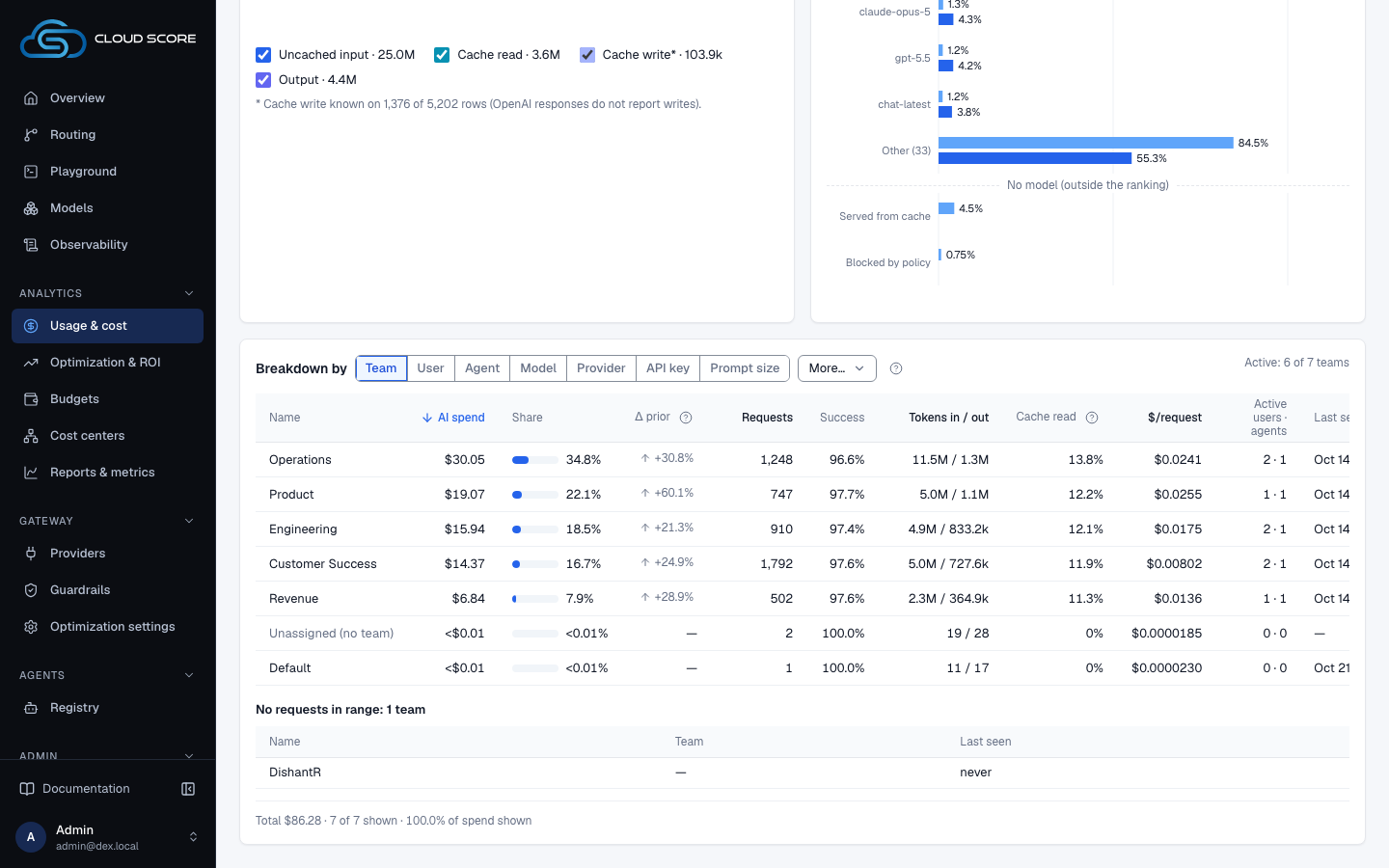
On Usage & cost, the Team, User and Agent dimensions come from the API key's assigned team and member when the request was admitted, and from the registered agent. The tags on this page are what the caller reported, read literally: Reported application, Reported environment and Reported end user. HTTP header names are not case sensitive, so X-Dex-team is the same header as X-Dex-Team.
Precedence
Request body metadata
metadata.{dimension} on either endpoint; compat user fills end_user
X-Dex-* headers
one header per dimension
The key's attribution defaults
set under Admin › API keys; never end_user
Left beats right, one dimension at a time. A request that sends only metadata.team still takes its application and environment from the key. A blank value counts as absent, so it never hides a lower source.
Send tags with a request
Both gateway endpoints accept a metadata object in the request body. Keys other than the five above are ignored, so your own tags can stay in it. On the native endpoint (see the native endpoint) it sits next to input and constraints:
{
  "input": "Summarise this ticket thread for the on-call engineer.",
  "constraints": { "strategy": "cost" },
  "metadata": {
    "team": "support",
    "application": "helpdesk",
    "agent": "triage",
    "environment": "production",
    "end_user": "customer-8812"
  }
}
On the OpenAI-compatible endpoint (see the OpenAI-compatible endpoint) the same metadata object works and the standard user field maps to end_user. The Python · OpenAI-compatible snippet from Admin › Developer does not include metadata; add it yourself:
import os
from openai import OpenAI

client = OpenAI(
    base_url="https://cloudscore.internal:7001/v1",
    api_key=os.environ["DEX_API_KEY"],
)

res = client.chat.completions.create(
    model="auto",
    messages=[{"role": "user", "content": "Welcome a new customer in two sentences."}],
    user="customer-8812",
    metadata={"team": "growth", "application": "onboarding-bot"},
)
Headers are the option when you cannot touch the body, for example from a proxy or a shared SDK wrapper. Each header sets one dimension; anything the request does not name falls through to the key.
curl -X POST "http://localhost:7001/v1/chat/completions" \
  -H "Authorization: Bearer $DEX_API_KEY" \
  -H "Content-Type: application/json" \
  -H "X-Dex-Team: support" \
  -H "X-Dex-Agent: triage" \
  -d '{"model": "auto", "messages": [{"role": "user", "content": "Summarise this ticket."}]}'
The native response envelope echoes what resolved as routing.attribution, so a client can confirm its tags landed without opening the dashboard.
Set defaults on a key
Defaults live on the API key under Admin › API keys (see API keys). They cover team, application, and environment, and apply to every request on the key that carries no value of its own for that dimension.
When creating a key:
Click
API keysunderAdminin the sidebar, thenCreate key.The
Create API keydialog opens.Give it a
Name, for examplehelpdesk-prod.Under
Cost attribution defaults (optional), fillTeam,Application, andEnvironment.The helper reads
Applied to requests on this key that carry no metadata or X-Dex-* tag of their own.Leave a field blank to set nothing for that dimension.Click
Create, copy the key fromKey created, then clickDone.Only the non-blank fields are sent. The new row's
Attributioncolumn shows chips such asteam=support.
On a key that already exists:
In the
API keystable, find the key's row.Its
Attributioncolumn shows chipsteam=…,application=…,environment=…, or—when nothing is stored.Open the row's
⋯menu and clickEdit tags.The
Attribution — helpdesk-proddialog opens with the sameCost attribution defaults (optional)block.Change the fields and click
Save.The button reads
Saving…, the dialog closes, and the chips refresh. A blank field drops that default. On failure the dialog shows the server message orsave failed.
Tagging a key re-attributes its history.
Where attribution is read live (the operator default is ATTRIBUTION_FREEZE_READS=false), untagged requests read their key's current defaults, so Edit tagsmoves the key's whole untagged history under the new values. Optimizations follows the same rule. end_user never inherits.
Where attribution shows
Once requests carry tags, they appear as reported tags on Usage & cost, in Observability, in budgets and alert rules, and in the key table. Every place matches on the exact spelling you sent.
| Where | Label | What you see |
|---|---|---|
Usage & cost › Breakdown by, under More | Reported application, Reported environment, Reported end user | One row per value the callers sent, ranked by AI spend, with a drawer per row. Requests with no value group as Not reported, so the totals reconcile. |
Usage & cost filter bar, under More | Reported application, Reported environment, Reported end user, Reported agent tag | Each narrows every block to that exact value; Clear filters resets them. An old link that carries a team tag shows a Reported team tag chip, so it never widens to every team. |
Observability › Requests | Agent, Environment | The agent and environment each request reported, or — with its cause. The Request drawer shows the rest of its recorded attribution. |
Admin › API keys | Attribution | The key's stored defaults as chips team=…, application=…, environment=…, or —; Edit tags is in the row's ⋯ menu. |
Budgets › Scoped Limits | Tabs Teams, Users, Agent tags (legacy), Applications, Environments | One row per tag value with its limits; Edit limits sets them. Requests whose resolved value matches are admitted against that budget. See Budgets. |
Budgets › Alerts, card Threshold rules | Scope = team, application, agent, environment, or end user | The value input is labelled team value (and so on) whose empty-field hint reads exact value. The rule row then reads team: support. See Alerts. |
Budgets › Alerts, card Recorded anomalies | Rows such as team: support | The hourly anomaly detector's rows, one per group per day. |
Before any request carries a tag, the matching reported-tag dimension on Usage & cost shows a single Not reported row. A budget scope's tab says how to start, for example No team tags yet.
Examples
A key with defaults and a request that overrides team
- What you do
The key
helpdesk-prodhasEdit tagsdefaultsTeamsupport,Applicationhelpdesk,Environmentproduction. One request on that key sends"metadata": {"team": "platform", "agent": "triage"}.- What Cloud Score does
Resolves each dimension separately: team
platform(body beats the key), applicationhelpdesk(key default), agenttriage(body), environmentproduction(key default), no end_user.- What you see
The native response's
routing.attributionechoes teamplatform, applicationhelpdesk, agenttriageand environmentproduction. On Usage & cost the request counts underhelpdeskinBreakdown byReported application, and theReported agent tagchip set totriagefinds it. A Teams budget onplatformadmits it, while the key's other requests count againstsupport.
Rolling attribution out to a key that already has traffic
- What you do
Breakdown byReported applicationshows onlyNot reported. You openAdmin›API keys, clickEdit tagsonhelpdesk-prod, setTeamsupport,Applicationhelpdesk,Environmentproduction, and clickSave.- What Cloud Score does
Stores the defaults on the key. Untagged requests on it, past and future, read those defaults at read time; requests that sent their own
metadataor headers keep their own values.- What you see
New requests on the key report
support,helpdeskandproduction, and budgets and alert rules on those values match them; where attribution is read live, the key's untagged history does too. Agent tags stay empty until clients sendmetadata.agentorX-Dex-Agent, andReported end useruntil they sendend_useror the compatuserfield.
Good to know
Agent has no field on the key.
The Create API key and Attribution — helpdesk-prod dialogs offer only Team, Application, and Environment. Send agent per request, in metadata or as X-Dex-Agent.
Spelling is the join key.
Breakdowns, filters, budget scopes, and alert rules all match the exact value. Support and support are two teams; a Teams budget on support caps only the requests that resolved to that spelling.
Limits
Values are trimmed and capped at 120 characters. Unknown metadata keys are ignored. end_user is never a key default. Budgets can scope to the workspace, an API key, a team, a user, an application, an agent tag, an environment, a registered agent or a provider; threshold rules can scope to end user too.
Filters and organization-wide figures
The reported-tag filters narrow every block on Usage & cost. On Optimizations, the Team, Application, Agent, Environment and End userfilters use the same rule, while Return on investment on ROI & Impact stays organization-wide. See Usage & cost and Costs, savings, and estimates.
Related
- SDK snippetsAdmin › Developer generates a copy-paste client for Python, TypeScript, or Go, against the native API or the OpenAI SDK, with a routing strategy or a pinned model baked in.
- Set budgets and get alertedTag spend to a team, cap it with a warning workspace budget and a blocking team budget, then wire a signed webhook and two threshold rules so you hear about it before the block lands.
- Investigate a failed, blocked, or expensive requestTrace one request from its row in Observability to the decision card, its savings receipt and a Playground reproduction, then read what its error message means.
- GlossaryEvery Cloud Score term that appears in the app, what it means in one or two sentences, and the page and tab where you meet it.
- TroubleshootingThe messages Cloud Score puts in front of you, grouped by the page that shows them, with what caused each one and what to do next.
- API keysIssue the platform keys that authenticate every gateway request, and set what each key carries: a monthly budget, body storage, a security profile, sandbox rights, and cost attribution defaults.